


- Building an AI accounting prototype is easier than operating one in production. General-purpose tools like Claude and ChatGPT are highly capable, but reliable accounting automation requires additional infrastructure, controls, and engineering.
- The true cost of accounting AI goes far beyond model usage. Finance teams must account for integrations, workflow engineering, security, testing, human review, ongoing maintenance, and failure recovery.
- Integrations create ongoing operational costs. Connecting AI agents to your ERP, banks, payment processors, and other financial systems requires continuous monitoring and maintenance as APIs, permissions, and data structures change.
- Production-ready AI requires an engineering layer. An AI harness manages how workflows execute, validates outputs, handles exceptions, maintains audit trails, and prevents duplicate or unauthorized actions.
- Accounting workflows are interconnected. Building separate AI agents for reconciliations, journal entries, and close activities can introduce additional complexity when information and approvals need to flow between them.
- Failures need to be included in the cost calculation. Finance teams must consider how errors will be detected, investigated, corrected, and prevented from disrupting financial reporting.
- The build-versus-buy decision should focus on total cost of ownership. The important question is not whether your team can build an AI accounting agent, but whether it can operate that system reliably, securely, and cost-effectively month after month.
Why accounting AI gets expensive to build in-house
Ritika Strauss
//
Published:
November 4, 2026
//
Updated:
November 19, 2026
Article

Company name
About the company


Thank you! Your submission has been received!
Oops! Something went wrong while submitting the form.
See Ledge in action
Key Takeaways
In our team's recent conversations with accountants, controllers, and finance directors, the same question has come up: can't we just build this ourselves with Claude? It depends, depending on the engineering resources available to your finance team to implement foundational software development principles. If these resources aren't available to you, you may experience more breakages than expected.
As an example, one team rolled Claude out company-wide and connected it to NetSuite. That helped with accounting memos and messy, unstructured data, but it didn't book a single entry or do the job of successfully producing a reconciliation. Another team estimated roughly 20 hours to build each accounting AI tool. That estimate did not account for upkeep every time a connector, permission, or edge case changed.
What looks like a shortcut can become an expensive distraction. Teams may end up spending more time and money than expected on engineering, model usage, and maintenance without producing a reliable workflow for production. That's because AI is just one component of what it takes to build functional software.
Many finance teams can easily access ChatGPT, Claude, or Gemini, so building an accounting AI tool can seem like something that makes sense to build in-house. What ends up happening is that these homegrown systems start breaking. Workflows that performed well in a controlled test break once they reach production.
What you've built is an accounting AI prototype, not something that you can rely upon each close period.
Access to a general-purpose AI assistant is not the same as having predictable infrastructure for a recurring finance workflow. The true cost of building your own accounting AI depends on how much work the system needs to perform, how complex that work is, and how reliably it needs to run in production.
Before estimating model costs, consider:
- How frequently will the AI run?
- How many transactions, documents, or spreadsheet rows will it process?
- How much context must be sent with each request?
- Which model will the task require?
- How many steps, tool calls, or retries will each run involve?
- How often will accountants need to correct an input or rerun the process?
- How will usage grow as the AI workflow expands across entities, accounts, or workflows?
The cost may also change as the workflow evolves. A team might begin with a lightweight model for a narrow task, then discover that reliable performance requires more complex reasoning, larger context windows, additional validation steps, or repeated calls to external tools.
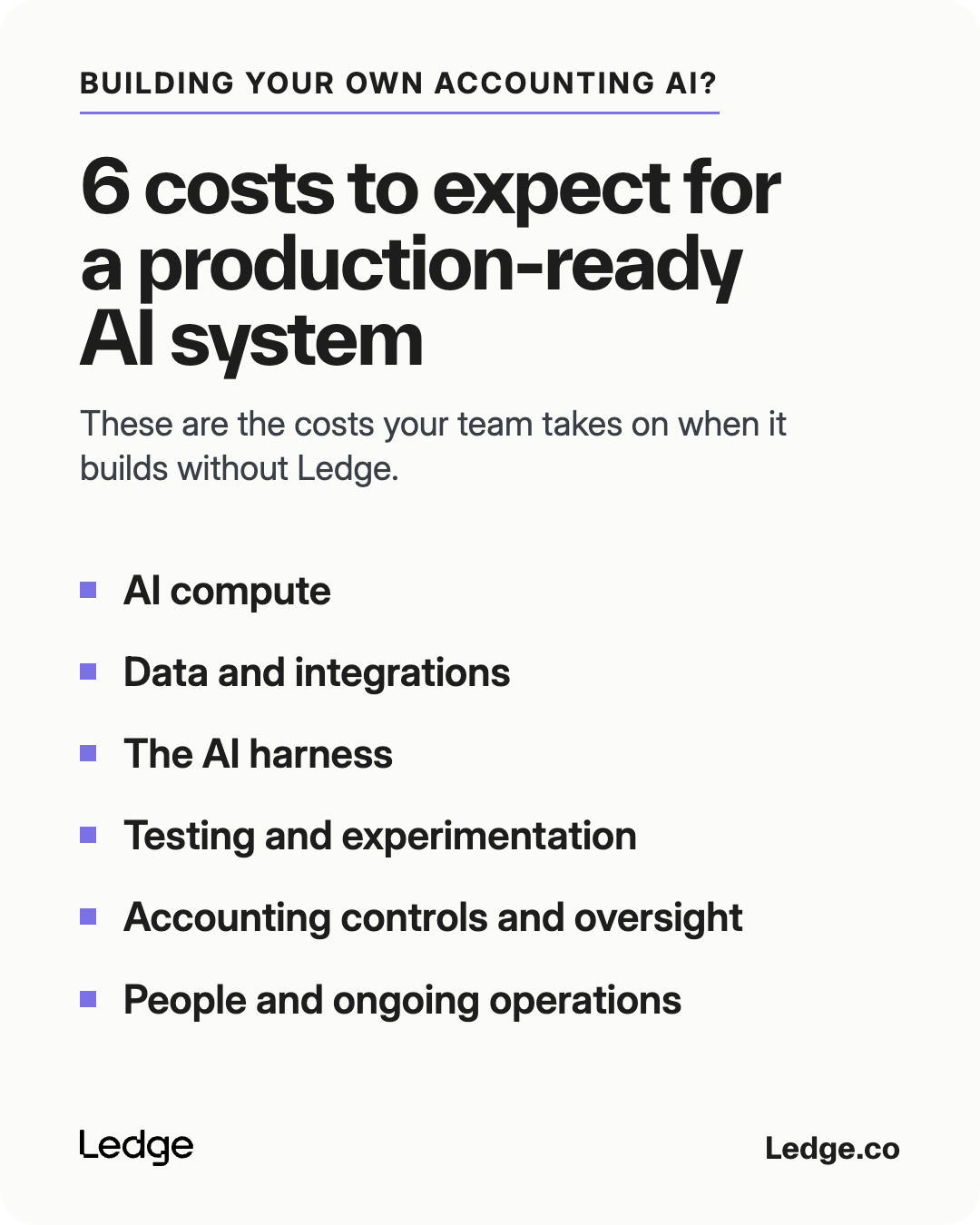
Each improvement can increase usage, making the production cost difficult to predict from the initial demonstration.
This apparent affordability is part of what makes do-it-yourself AI projects easy to underestimate. Teams can begin experimenting with tools they already have without seeing the full cost of running the workflow repeatedly at production scale.
And model usage is only the first cost to consider.
The full accounting AI cost is bigger than the model
Building accounting AI in-house can appear inexpensive because many teams already have access to tools such as ChatGPT, Claude, or Gemini.
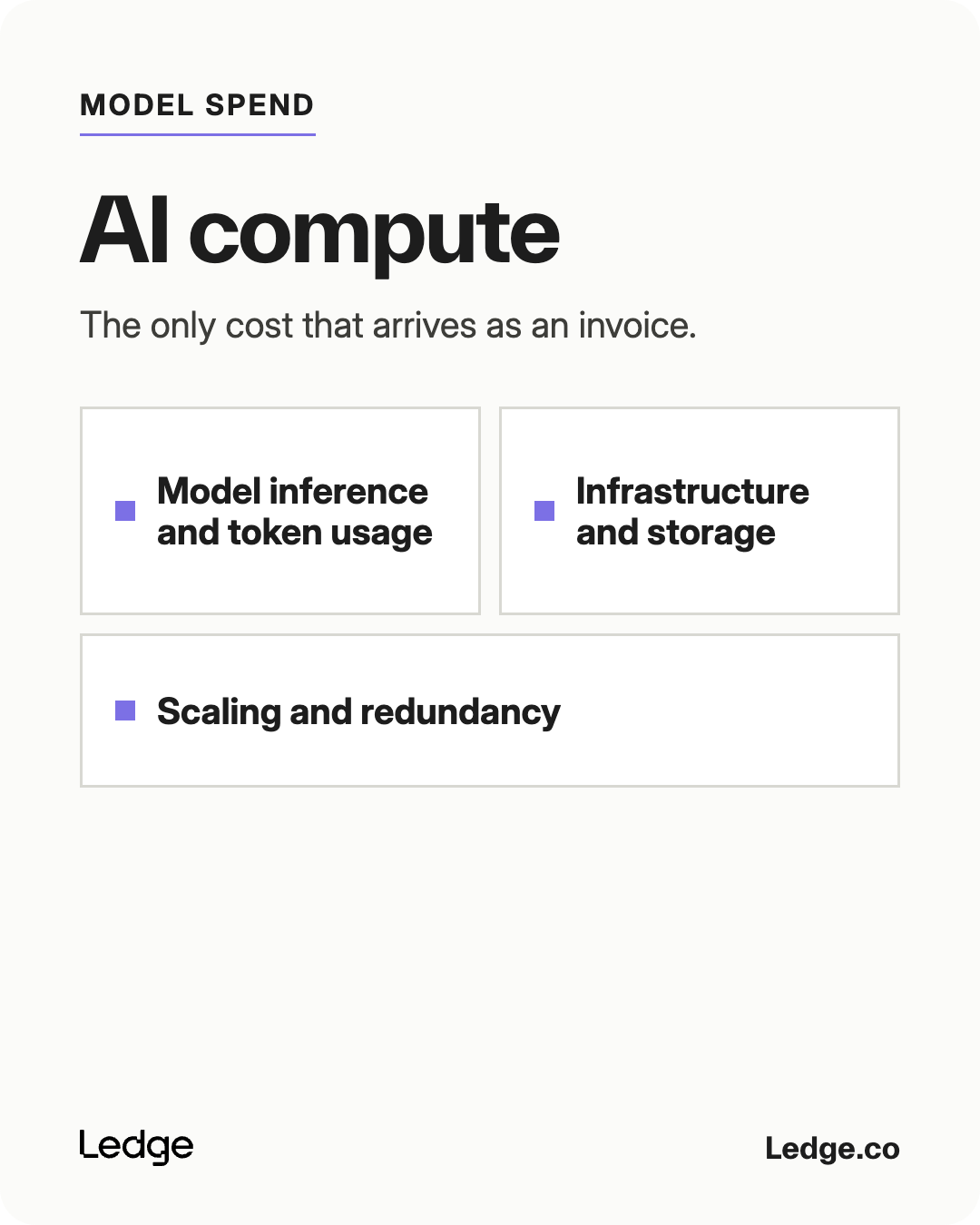
The LLM is only one part of the overall system. The full cost includes:
- Variable model usage
- Integrations across the fintech stack
- Engineering and workflow orchestration
- Finance-team process design
- Security, compliance, and internal controls
- Testing and validation
- Ongoing human review
- Maintenance and monitoring
- Failure recovery
- Opportunity cost across finance and engineering teams
These costs are often spread across different departments and budgets, making the total investment easy to underestimate. While a successful prototype may demonstrate that a model can complete a task, it rarely reveals the full cost of operating that workflow reliably, securely, and repeatedly in production.
Before deciding to build AI system for your accounting team in-house, finance leaders should estimate the total cost of ownership—not just the cost of accessing the model.
Estimate your integration costs
An AI accounting system cannot do much with the LLM alone. The software needs access to the systems where financial data is created, stored, processed, and reviewed. Depending on the workflow, that may include your ERP, bank accounts, payment processors, billing platform, payroll system, expense tools, spreadsheets, data warehouse, and document repositories.
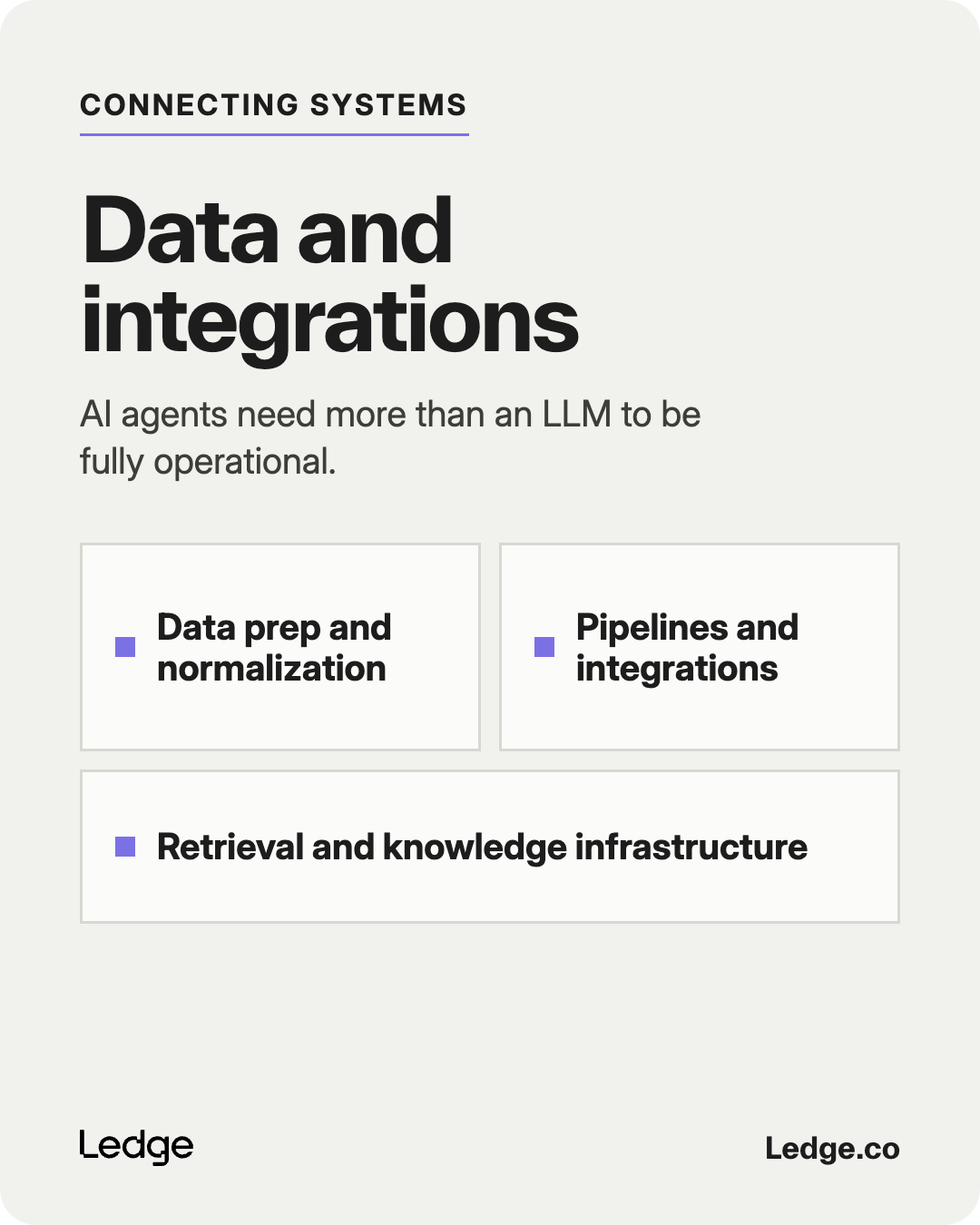
Each connection adds cost. Before estimating the integration work, consider:
- Which systems does the AI need to access?
- Does each system offer an API?
- Will the AI need read-only access or permission to write data back?
- How will authentication and credentials be managed?
- Which fields connect records across systems?
- Do transaction descriptions or identifiers differ by platform?
- How will data be normalized before the model uses it?
- What happens when a source is missing, delayed, or incomplete?
- How will the system detect a changed file format or API response?
- Who will maintain the connection when a vendor updates its platform?
- How will the AI preserve links between source records, outputs, and supporting evidence?
- Where will accountants review and approve the resulting work?
A controlled test may rely on one manually prepared spreadsheet. A production workflow is more likely to depend on multiple systems that update at different times and structure information in different ways.
For example, AI for automating cash application may need to compare bank records, payment processor data, and ERP transactions. Those systems may use different identifiers, timestamps, settlement dates, or transaction descriptions. The AI system needs an integration layer that can retrieve the data, preserve the relationships between records, and identify when something is missing or inconsistent.
The initial connection is only part of the cost. Authentication tokens expire. APIs change. Report structures evolve. New entities, bank accounts, and payment channels are added. Each change may require engineering work, testing, and accounting review before the AI can continue operating reliably.
This makes integrations an ongoing operating responsibility, not a one-time setup expense.
Budget for workflow engineering
Connecting the systems is only the beginning. The AI system also needs an engineering layer, also known as an AI harness, that determines how data moves through the workflow, how outputs are validated, and what happens when something goes wrong.
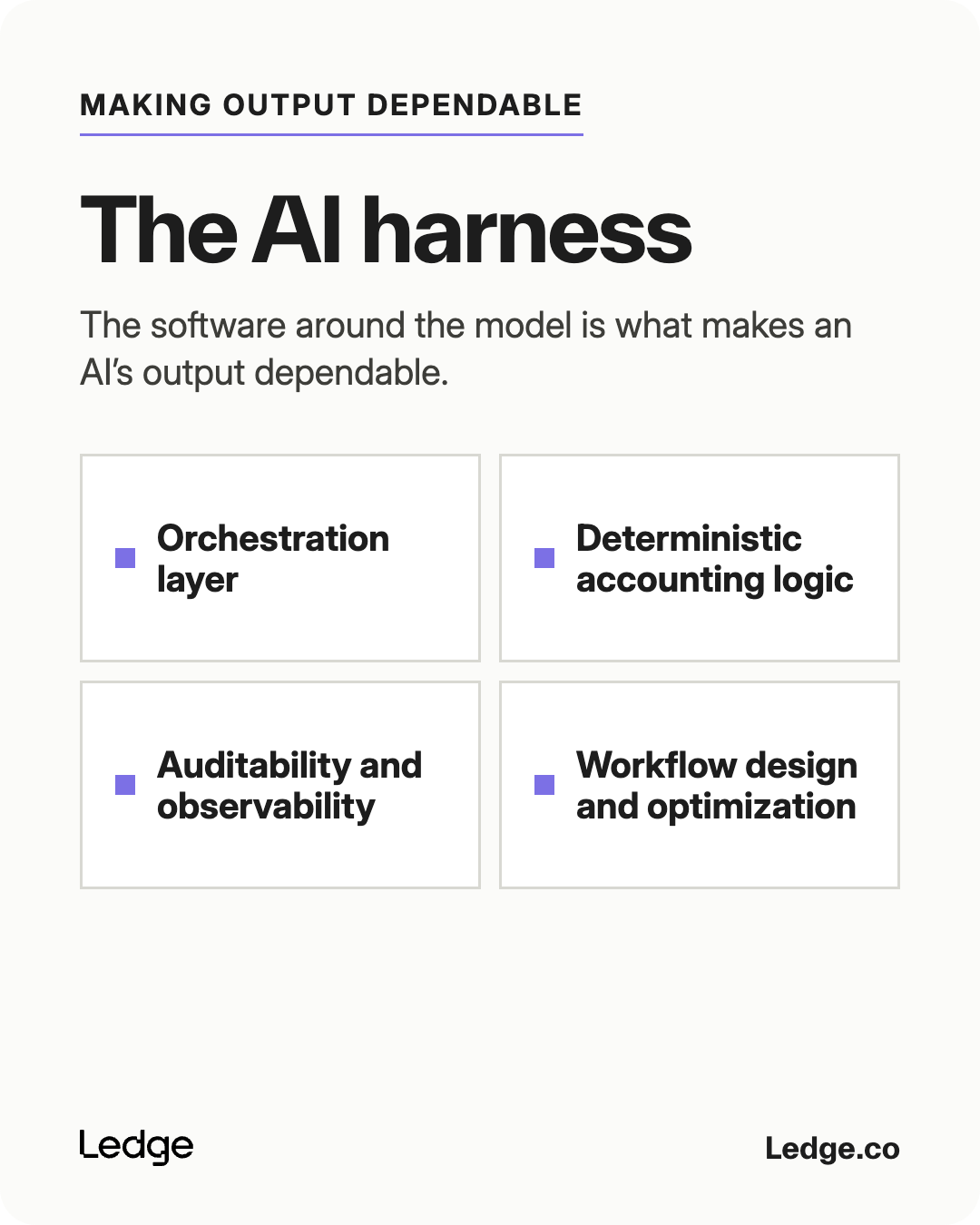
This work may include orchestration, data transformation, structured outputs, monitoring, retry logic, logging, and interfaces for review and approval. Before estimating the engineering cost, consider:
- How will the workflow be triggered?
- Which steps happen in sequence?
- Which steps can run in parallel?
- How will data move between systems?
- How will records be matched and normalized?
- How will the system validate that an output is complete?
- What happens when the model returns an unexpected format?
- How many times should a failed step retry?
- How will duplicate actions be prevented?
- How will the system detect partial completion?
- Where will errors and activity logs be stored?
- How will your finance team see what the accounting AI did?
- Who will investigate technical failures?
- Who will maintain the workflow after launch?
A simple prototype may rely on manual uploads, copied outputs, and a person supervising each step. In production, those handoffs need to be built into the system.
For example, if AI prepares a proposed journal entry, the workflow may need to retrieve source data, validate the reporting period, apply accounting rules, generate structured journal lines, attach supporting evidence, route the entry for review, and prevent it from being posted twice.
Each of those steps introduces technical requirements beyond the model itself.
The engineering cost also grows with complexity. A workflow supporting one entity and one source system may be relatively straightforward. Expanding it across multiple entities, currencies, approval structures, or transaction types can require additional logic, testing, and monitoring.
The relevant question is not only whether the accounting AI can produce the expected result. It is whether the surrounding software can produce, validate, route, and preserve that result reliably every time the workflow runs.
Budget for security and control costs
An accounting AI tool may need access to sensitive financial data and, in some cases, permission to take actions inside core systems. That creates security, compliance, and internal control requirements that go beyond the model itself.
Before estimating these costs, consider:
- Which financial data will the AI access?
- Will the AI have read-only access or permission to write data back?
- How will credentials and API keys be stored?
- How will access be granted, reviewed, and revoked?
- Does the workflow preserve segregation of duties?
- Can the AI prepare and approve the same transaction?
- How will prompts, outputs, logs, and supporting data be retained?
- Which actions require human approval?
- How will the system create an audit trail?
- What controls prevent unauthorized or duplicate actions?
- Will security, legal, compliance, or internal audit need to review the workflow?
- How will incidents or suspicious activity be investigated?
These requirements become more significant as the AI gains access to additional systems or higher-risk actions.
An AI tool that summarizes a spreadsheet presents a different risk profile from one that can create journal entry lines, update a reconciliation, change a payment status, or write information back to the ERP.
The company may need to implement role-based permissions, approval gates, activity logging, data-retention policies, vendor reviews, and recurring access reviews before the workflow can move into production.
Those activities require time from teams across finance, IT, security, legal, compliance, and internal audit. Even when that work is handled internally, it is still part of the cost of building and operating the AI.
Security and control costs also continue after launch. Permissions change, employees leave, systems are added, policies evolve, and new risks emerge. The AI therefore needs ongoing governance rather than a one-time approval.
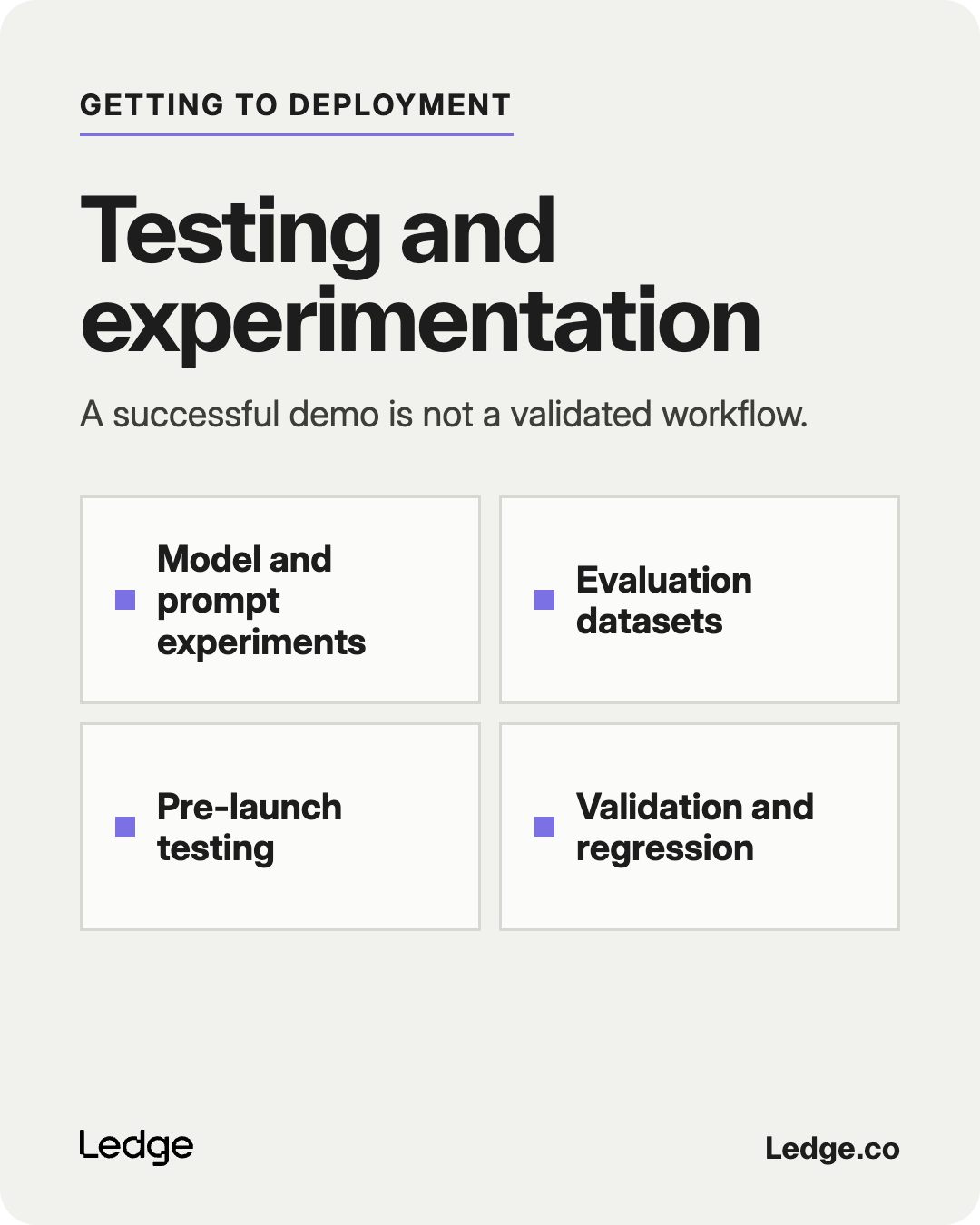
Budget for testing and validation
A successful demo does not show that an AI accounting tool is ready for production.
Before launch, the workflow needs to be tested across the different conditions it is likely to encounter in real financial operations. That includes not only ordinary transactions, but also missing data, unusual exceptions, changed formats, failed integrations, and incorrect inputs.
Before estimating testing and validation costs, consider:
- Who will create the test cases?
- How many reporting periods should be included?
- Which entities, accounts, currencies, and transaction types need to be tested?
- What known exceptions should be included?
- How will the team test missing or incomplete data?
- What happens when a file format or field name changes?
- How will failed integrations be simulated?
- How will the AI be tested for duplicate or unauthorized actions?
- Who will define the expected accounting outcome?
- Who will compare the AI's output with that expected result?
- What level of accuracy is required before launch?
- Which errors require the workflow to stop?
- How will changes to the model, rules, or integrations be retested?
- Who will approve the AI for production use?
Testing requires finance-team involvement to confirm that the AI produces accurate, complete, and auditable results. Even correctly formatted outputs may contain errors, use incomplete data, or apply the wrong accounting rules.
Testing should also cover situations where the AI needs to stop and flag an issue, such as missing data, unexpected transactions, or incomplete integrations.
Validation continues after launch. Changes to models, prompts, accounting policies, or connected systems can introduce new errors. Regular testing helps ensure the AI continues to perform reliably as these conditions change.
These ongoing checks are part of the cost of maintaining a dependable production workflow.
Budget for ongoing maintenance
An AI accounting tool is not finished once it goes live.
The models, integrations, permissions, data structures, and accounting workflows it depends on will continue to change. Keeping the AI system reliable therefore requires ongoing technical and finance-team ownership. Before estimating maintenance costs, consider:
- Who will monitor the AI after launch?
- Who will respond when an integration fails?
- How often will prompts, rules, and workflows need to be updated?
- Who will test changes before they move into production?
- How will model updates affect existing outputs?
- What happens when an API changes or a credential expires?
- Who will update the workflow when new entities, accounts, or transaction types are added?
- How will changes to accounting policies be incorporated?
- Who will maintain documentation and audit records?
- How will access permissions be reviewed over time?
- Who will support users when the AI behaves unexpectedly?
- What monitoring and alerting infrastructure is required?
- How much engineering and finance-team capacity should be reserved each month?
Maintenance costs are easy to underestimate because they are often spread across several teams. A small issue may require an engineer to diagnose the integration, a finance professional to confirm the accounting impact, and a reviewer to retest the workflow before it can be used again.
The system may also require regular testing. A model update, revised prompt, new source field, or changed approval rule can affect outputs that previously worked as expected.
Without a clear owner, these updates can become reactive. The AI continues running until someone notices that its output has changed or that part of the workflow is no longer operating correctly.
Ongoing maintenance is an essential operating expense that helps keep the AI reliable month after month.
Estimate the cost of failure and recovery
Every production finance AI will eventually encounter a failure.
An integration may go down. A credential may expire. A source file may change format. The AI may receive incomplete data, apply the wrong rule, or produce an output that does not pass validation.
The cost depends on how quickly the problem is detected and how much work is required to recover. Before estimating failure and recovery costs, consider:
- How will the team know that the AI has failed?
- Can the system distinguish between a full failure and partial completion?
- Who will investigate the issue?
- How long will it take to identify the root cause?
- Which transactions, entities, or reporting periods may be affected?
- How will the team determine which outputs can still be trusted?
- Will any work need to be recreated manually?
- Could the issue delay the close or another reporting deadline?
- How will duplicate actions be prevented during a rerun?
- Can the workflow resume from the point of failure?
- Will engineering, finance, security, or internal audit need to participate?
- Could prior periods need to be reviewed again?
- How will the incident and corrective action be documented?
- What business continuity process is available if the AI cannot be restored quickly?
Failures that are immediately detected are generally easier to manage than those that go unnoticed. If an AI tool stops and flags an issue, the team can investigate. If it continues operating with incomplete data or outdated logic, it may produce inaccurate results that appear correct.
Recovering from these errors can be costly. Finance teams may need to identify affected transactions, repeat calculations and reviews, and correct financial records. Failures can also delay the month-end close, create audit concerns, and undermine confidence in automation.
That's why failure recovery needs to be part of the system's design. AI systems should maintain activity logs, identify affected records, prevent duplicate actions, and support safe recovery when something goes wrong.
When evaluating the cost of an accounting AI system, consider both the cost of running it successfully and the potential cost of recovering from failures.
AI accounting system cost checklist
The relevant comparison is not between the cost of a general-purpose AI subscription and the cost of a purpose-built platform. It is between the total cost of building and operating the complete system in-house and the cost of adopting infrastructure designed to support recurring finance workflows.
Calculate the full cost before you build it yourself
The teams we've spoken with have made meaningful progress experimenting with AI. One team built seven tools using Claude and Gemini, including an accruals hub and variance analysis, but had yet to automate balance-sheet reconciliations. Another developed close workflows that ran in about ten minutes each, only to discover how much they depended on one employee when that person took a two-week vacation. A third had an established Claude setup but struggled with a NetSuite connection that dropped daily.
These examples illustrate the challenges of moving from experimentation to production. Building reliable AI systemsrequires more than a capable model. Teams also need dependable integrations, maintainable workflows, and controls that support accounting reviews and audits.
Building in-house may still be the right decision. However, the evaluation should account for the full cost of ownership, including expenses spread across finance, engineering, IT, security, and internal audit.
Before deciding, estimate the cost of operating the workflow in production, maintaining it over time, and recovering from failures. Compare that investment with the cost of adopting a purpose-built solution.
Can we build an AI accounting agent?
It is:
Can we operate it reliably, securely, and cost-effectively month over month?
Consider how accounting workflows depend on one another
Accounting workflows rarely operate independently. Bank reconciliations inform cash balances, accruals affect account reconciliations, and journal entries need to be reflected in the general ledger before controllers can finalize their reviews.
For example, an AI tool for payment reconciliation might identify processing fees that require a journal entry. Once that entry is approved and posted, the updated balance needs to flow into the relevant account reconciliation. If the workflows operate in separate tools, accountants may need to manually transfer information, confirm that balances are current, and track which tasks are ready for review.
This creates another cost consideration for teams building AI in-house: how will the AI work together?
Before deciding to build separate AI tools for individual close tasks, consider:
- How will one AI agent's completed work inform downstream accounting tasks?
- Will AI agents share the same source data, accounting rules, and supporting documentation?
- How will changes to journal entries or reconciliations be reflected across workflows?
- Can the system identify which close tasks are blocked by outstanding exceptions or approvals?
- How will controllers track progress and review work across multiple AI agents?
- Who will maintain the connections and dependencies between workflows?
Prioritize your organization's unique accounting requirements
Every organization's accounting infrastructure is different. ERP configurations, transaction volumes, internal controls, reporting requirements, and existing technology investments all influence the cost and complexity of implementing AI agents.
Use this guide as a starting point for evaluating your options. Consult your accounting, finance, IT, security, and external advisors to understand your organization's specific requirements, assess potential risks, and determine which approach makes the most operational and financial sense for your business.
Frequently asked questions (FAQ)
1. Can finance teams build an AI accounting agent with Claude or ChatGPT?
Yes, many teams can build a working prototype with general-purpose AI tools. The harder part is operating it reliably in production. That requires integrations across the finance stack, workflow engineering, security and internal controls, testing, and ongoing maintenance. Teams should evaluate whether they can run the agent reliably, securely, and cost-effectively month over month, not just whether they can build it.
2. How much does it cost to build an AI accounting agent in-house?
The total cost goes well beyond model access. It includes variable model usage, integrations, workflow engineering, security and compliance work, testing, human review, maintenance, failure recovery, and opportunity cost across finance and engineering. These costs are often spread across departments and budgets, which makes the full investment easy to underestimate when it’s judged from a prototype.
3. Is connecting Claude or ChatGPT to NetSuite enough to automate accounting workflows?
Usually not on its own. A connection gives the model access to ERP data, which can help with tasks like drafting memos or interpreting unstructured information. Producing reconciliations or booking entries also requires data from banks, payment processors, and other systems, plus validation, review and approval routing, audit trails, and controls that prevent duplicate or unauthorized actions.
4. Why do AI agents that work in a demo break in production?
Demos typically run on one prepared spreadsheet under supervision. Production workflows depend on multiple systems that update at different times and structure data differently. Credentials expire, APIs change, file formats shift, and new entities or accounts get added. Without engineering for validation, retries, logging, and failure recovery, an agent that worked in testing can fail or produce results that look correct but aren’t.
5. Who maintains an in-house AI accounting agent after launch?
Maintenance typically requires both engineering and finance ownership. Engineers handle integration failures, API changes, and monitoring. Accountants confirm accounting impact, update rules as policies change, and retest outputs. Without a clear owner, maintenance becomes reactive, and workflows can become dependent on the one person who built them.
More resources
Disclaimer: This content is provided for general educational and informational purposes only and should not be relied upon as accounting, financial, legal, tax, or other professional advice. Readers should consult their organization's internal subject matter experts and qualified professional advisors before making decisions based on this information. Any examples, estimates, or performance outcomes are illustrative only, and actual results will vary depending on an organization's specific circumstances, systems, controls, and implementation.