


Flux is supposed to answer one question: What changed?
But practically speaking, it often becomes a reconstruction project requiring heavy Excel work across many systems and data sources.
- Reports get pulled again
- Workbooks get rolled forward
- Payroll data gets stitched together
- Revenue files get validated line by line
- Logic gets rechecked by the one person who knows how it works
More work goes into preparing spreadsheets than analyzing movement.
AI agents can simplify flux analysis by doing the manual prep.
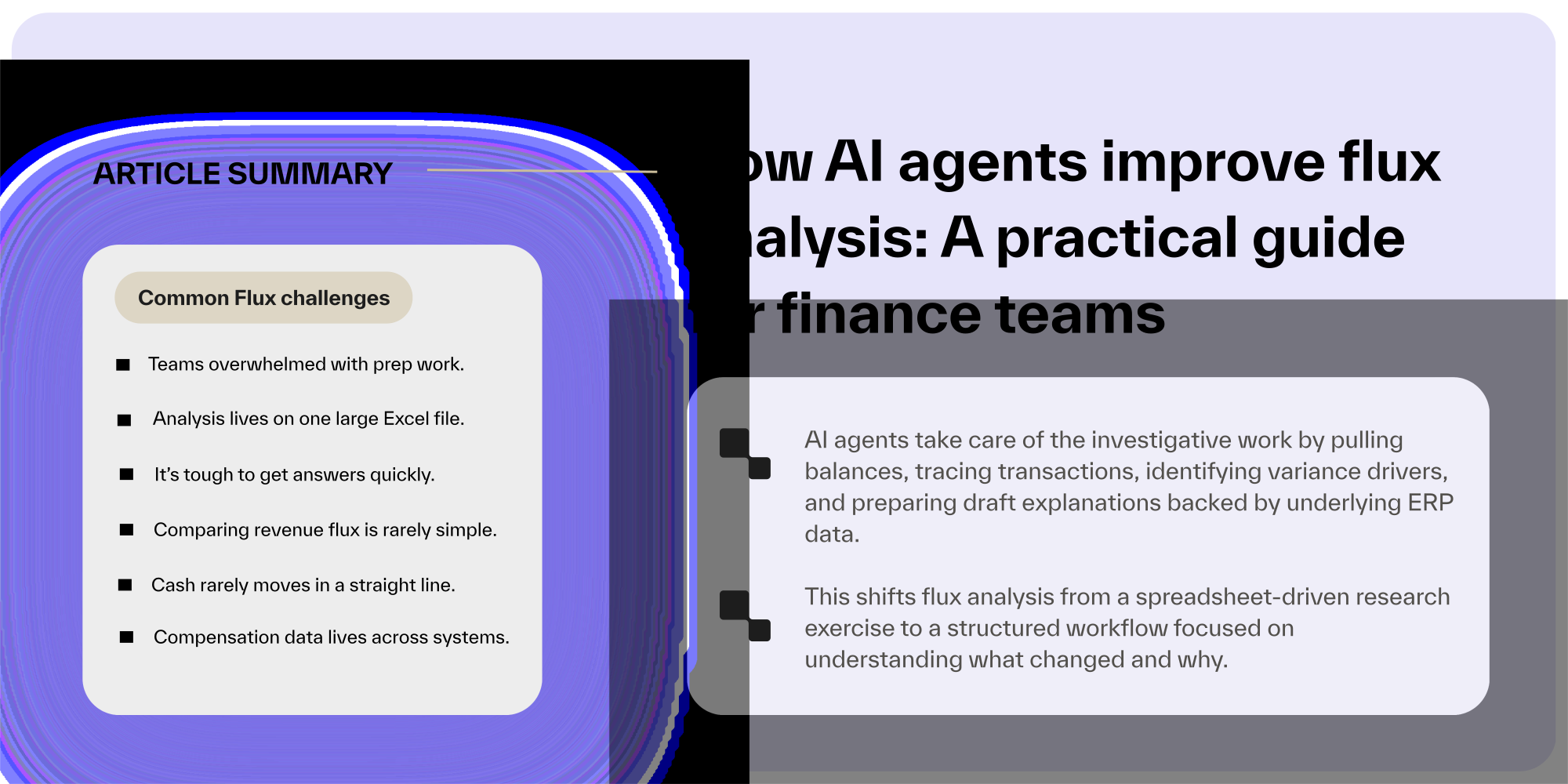
Most flux analysis effort goes into finding answers, not interpreting them. AI agents can automate the investigative work by pulling balances, tracing transactions, identifying variance drivers, and preparing draft explanations backed by underlying ERP data. Finance teams review and approve the analysis, rather than reconstructing it from scratch.
This shifts flux analysis from a spreadsheet-driven research exercise to a structured workflow focused on understanding what changed and why.
Here’s how this process works in Ledge.
1. Start flux analysis with structured, AI-prepared explanations
(Instead of writing variance commentary at the end of close week)
The challenge
By the time flux commentary begins, most teams are ready to recover from all of the prep work.
The reconciliations are done. The payroll and revenue workbooks are rebuilt. The journal entries are posted or sitting in a queue.
Now someone has to answer the CFO’s most business critical questions.
- Why did payroll increase?
- Why did gross margin compress?
- Why did deferred revenue shift?
The analysis exists across multiple spreadsheets and systems. The person writing the narrative has to retrace the work, scan supporting tabs, and reconstruct the logic in sentence form.
Explanations get written late under pressure—sometimes from memory.
These explanations describe what changed, but not always why in a way that ties cleanly back to the data.
Leadership sees movement. They ask follow-up questions. Finance goes back into the files again.
The work continues to compound.
How Ledge solves this
In Ledge, commentary does not start from a blank page.
Because AI agents rebuilt the workpapers, reconciled the balances, and flagged the drivers earlier in the process, the system already has structured context.
Ledge uses that context to draft explanations directly from the underlying data.
The agent:
- Identifies material variances based on your thresholds
- Surfaces the main quantitative drivers
- References the specific accounts, entities, and journal entries involved
- Links the explanation back to the exact workbook and source data that support it
The draft narrative is not a generic summary. It is tied to the same schedules and reconciliations the team just reviewed.
Finance reads it with the workbook open. They refine language, add business context, and adjust nuance where needed before hitting “approve.”
The explanation and the evidence live in the same workflow.
Nothing has to be reconstructed.
Across the entire process, the pattern is consistent.
- Agents rebuild the recurring work.
- They pull the data from the right systems.
- They apply the defined logic.
- They surface the movement.
- They prepare the first explanation.
Humans review, challenge, and approve.
Flux analysis stops being a scramble at the end of close.
It becomes a structured step that carries forward each period.
2. Rebuild recurring flux workpapers automatically
(Instead of copying last month’s file and hoping nothing broke)
The challenge
Most flux analysis lives in one large Excel file with multiple tabs, linked to ERP exports, and full of pivots and lookups.
Each month, someone on your finance team needs to:
- Download fresh trial balances
- Replace source tabs
- Check formulas
- Re-tie beginning balances
- Fix references that shifted when a new account was added
Even though the structure of the analysis rarely changes, the effort repeats anyway—leaving finance with a risky and error-prone process.
If the workbook breaks, analysis waits. If the file grows too complex, only one person trusts it.
How Ledge solves this
Inside Ledge, recurring flux workpapers become a repeatable workflow with AI agents. Using Ledge Agent Studio, finance can upload workbooks and build task-specific agents using plain language.
Agent Studio turns that logic into bespoke code to instruct agents to complete specific flux tasks.
From then on, the AI agent repeats the same work every period:
- Pulls the right NetSuite reports
- Recreates the multi-tab Excel workpaper with live formulas
- Applies mappings and joins exactly as defined
- Ties beginning and ending balances
- Flags material movement based on your thresholds
- Drafts supporting journal entries when needed
AI agents prepare the spreadsheet. Finance shifts focus from rebuilding to reasoning.
3. Go deeper with flux, at the fastest possible speed
(Being able to complete flux analysis faster, automatically with AI agents doing the work)
The challenge
Flux happens after balances are reconciled and tied. That part of the workflow doesn’t change.
What can change, however, is how quickly finance can get answers and how far you can take the analysis.
For most teams, flux lives in a spreadsheet that has grown over time. It includes:
- Account-level rules and allocation logic
- Segment, channel, or product mappings
- Manual adjustments layered in each period
- Variance thresholds that exist more in memory than in documentation
The GL shows summarized movement. Supporting detail lives across subledgers and operational systems. The Excel file sits in the middle, reapplying logic and stitching the story together.
To complete flux, someone has to:
- Export detailed transaction data
- Tie it back to posted balances
- Reapply mapping and allocation rules
- Validate that logic ran correctly
- Investigate unexpected movements
- Summarize findings for review
It’s time-consuming and limiting. When the process is manual, teams often focus on material accounts only. Analysis stays high level. Deeper questions wait.
How Ledge solves this
With AI-powered flux in Ledge, analysis becomes an automated, repeatable workflow defined by your team.
Once balances are reconciled, an agent connects to your ERP and relevant source systems. It pulls transaction-level data and rebuilds your flux workpaper using the exact allocation logic, mappings, and thresholds your accounting team defines and owns.
The AI agent:
- Reconciles detailed activity to GL balances
- Applies predefined account, segment, or product logic
- Calculates movement across multiple dimensions simultaneously
- Identifies unusual patterns using historical trends and statistical thresholds
- Surfaces likely drivers behind the variance
- Drafts supporting journal entries when adjustments are required
The output mirrors your existing Excel structure, complete with live formulas and source tabs. Review still happens in a format your team knows.
The difference is speed and depth.
Flux is ready earlier in the review cycle because preparation is automated.
And instead of stopping at “what changed,” your team can immediately see:
- Which drivers caused the movement
- How margin or performance shifted across segments
- Where patterns deviate from historical norms
Flux becomes a deeper, faster conversation.
4. Run revenue variance analysis across large datasets automatically
(Instead of manually validating large revenue datasets to explain the movement)
The challenge
Revenue flux is rarely a simple comparison of two balances.
Data may originate in billing systems, payment processors, product analytics tools, or reporting platforms like Looker. Deferred revenue schedules live in Excel. Adjustments are booked manually. High transaction volumes make it difficult to validate everything at a glance.
To explain revenue movement, someone typically has to:
- Export detailed revenue reports
- Reconcile billed, collected, and recognized amounts
- Validate deferred revenue roll-forwards
- Trace large movements back to underlying transactions
- Confirm that manual true-ups were booked correctly
When revenue is complex, variance analysis does not begin until validation is complete.
In some organizations, revenue is the bottleneck that extends the close. Flux becomes an afterthought, rushed at the end rather than used as a management tool.
How Ledge solves this
With AI flux analysis in Ledge, revenue variance becomes a defined, repeatable workflow.
An AI agent connects to NetSuite and any relevant billing or reporting systems. It pulls the detailed revenue data required for the analysis and reconciles billed, collected, and recognized balances automatically.
The agent then rebuilds the revenue variance workpaper in Excel using live formulas that:
- Recreate deferred revenue roll-forwards
- Isolate volume-driven versus pricing-driven changes
- Separate timing differences from structural shifts
- Tie every variance back to underlying source data
Material movements are flagged based on your defined thresholds. A draft narrative references the specific accounts, entities, and entries that drove the change.
Instead of manually validating large datasets before analysis can begin, finance opens a prepared workbook with reconciled data and structured variance insight.
Revenue flux moves earlier in the close. Review focuses on judgment and business context, not data assembly.
5. Monitor cash and payment processor variance continuously
(Instead of discovering mismatches during close week)
The challenge
Cash rarely moves in a straight line.
Payments settle through multiple banks and processors: Stripe, Authorize.net, ACH.
Refunds and chargebacks hit on different timelines. Fees change without much notice.
Revenue is recognized in one place. Cash settles in another. The GL reflects both, but not always at the same time.
To complete cash-related flux analysis, someone typically has to:
- Download bank statements
- Export processor reports
- Reconcile settlements to recorded revenue
- Investigate timing differences
- Identify new or unexpected fees
When transaction volume is high, this process becomes constant. New rules are needed as patterns shift.
If issues are not identified early, they surface during close as unexplained variances.
How Ledge solves this
With AI flux analysis in Ledge, cash-related variance can be monitored as part of the workflow rather than investigated at the end.
An AI agent connects directly to banks, payment processors, and NetSuite. It pulls transaction data on a defined cadence and matches activity across systems automatically.
The agent:
- Auto-matches high-confidence transactions
- Groups recurring exceptions with shared attributes
- Detects new fee patterns or settlement timing changes
- Updates the variance workpaper with reconciled totals and flagged differences
Because the AI agent can run daily or weekly, discrepancies are surfaced before close week tightens.
When the cash flux task opens, balances are already reconciled and unusual movements are highlighted.
Finance reviews the analysis in context instead of chasing mismatches under pressure.
Variance becomes something the team stays ahead of, not something it reacts to.
6. Analyze payroll variance across systems automatically
(Instead of stitching payroll, HRIS, and GL data together by hand)
The challenge
Payroll is often the largest expense on the income statement. It also lives in multiple systems.
- Payroll runs in Workday or ADP
- Headcount and department data live in an HRIS
- Expense is posted to NetSuite
- Accruals reverse each month
- Entities run on different cycles
To complete payroll flux, someone has to download payroll registers, map employees to departments, reconcile totals to the GL, and separate headcount changes from compensation changes. If there are four payroll runs in a month, the reconciliation multiplies.
Most of that time is spent assembling the data.
By the time the team is ready to explain why payroll moved, close week is already tight.
How Ledge solves this
Ledge AI agents connect directly to your payroll system, HRIS, and NetSuite. It pulls the payroll registers, department mappings, and posted journal entries automatically. It then rebuilds the payroll variance workpaper in Excel using live formulas that:
- Reconcile payroll expense to the GL
- Calculate variance by department, entity, or cost center
- Separate headcount-driven movement from rate-driven changes
- Account for accrual reversals and timing differences
If payroll runs multiple times per month, the agent can run on the same cadence.
When the flux task opens, the workbook is already prepared and tied out. Variances are highlighted based on your materiality thresholds. A draft explanation references the actual drivers behind the movement.
Instead of spending days assembling payroll data, finance reviews a structured analysis and focuses on what changed and why.
7. Automate stock-based compensation variance
(Instead of manually extracting from equity systems and mapping departments)
The challenge
Stock-based compensation rarely lives in one system.
Grant data sits in an equity platform. Employee and department data sit in an HRIS. Expense is recognized and posted in NetSuite.
To complete flux analysis, someone has to export grant reports, map employees to departments, calculate current-period expense, and reconcile it to what was booked in the GL.
If headcount has changed, or new grants were issued, the mapping becomes more complex.
Most of the time goes into aligning datasets before anyone can explain the movement.
By the time the analysis is ready, the close clock is already ticking.
How Ledge solves this
With AI flux analysis in Ledge, stock-based compensation becomes a defined workflow rather than a manual mapping exercise.
An agent connects directly to your equity platform, HRIS, and NetSuite. It pulls grant activity, employee mappings, and posted expense entries automatically.
It then rebuilds the stock comp variance workpaper in Excel with live formulas that:
- Reconcile recognized expense to GL postings
- Separate new grants from ongoing amortization
- Attribute expense movement to headcount changes or grant timing
- Tie every variance back to source reports
Material changes are flagged based on your thresholds. A draft explanation references the specific drivers behind the shift.
Instead of exporting data and manually aligning it every month, finance opens a prepared analysis with the heavy lifting already done.
Flux becomes a review of drivers. Not a reconciliation project hiding inside a variance task.
The end of reconstructing flux every close
With agentic AI, flux returns to what it was meant to be: understanding movement and helping the business decide what to do next.
AI agents change the shape of the close because the work stops resetting each month. The workbook does not have to be rebuilt. Payroll mappings do not have to be restitched. Revenue validations do not start from zero. When the preparation carries forward, the effort drops. The close feels lighter not because the team moves faster, but because there is less manual reconstruction inside it.