SFTP + Ledge integration
With SFTP integration for Ledge, file-based data is automatically pulled, validated, and prepared for the month-end close, so reconciliations, journal entries, and reporting are ready for review, not rebuilt manually.
Eliminate manual file-based rebuilds during close
But every close, teams repeat the same process. Files are downloaded, cleaned, reformatted, and manually loaded into spreadsheets or systems. Data is stitched together, reconciliations are rebuilt, and errors are introduced along the way.
Ledge removes that manual rebuild. SFTP becomes a connected input to the close, and agents automatically pull and prepare file-based workflows so your team starts in review, not file handling.
What makes SFTP + Ledge different

SFTP is typically used to move files, not prepare accounting work. With SFTP connected to Ledge, agents ingest files, validate structure, and transform them into reconciled, structured outputs for the close.

SFTP files often drive bank reconciliations, payment processor tie-outs, and cash application. Ledge AI agents, purpose-built and managed by finance, rebuild these workflows each period using fresh files, so balances and activity reflect what actually happened.
Many SFTP workflows run daily. Ledge supports continuous ingestion of bank files, settlement reports, and operational data so reconciliation and reporting stay current throughout the close.
How the SFTP + Ledge integration works
Securely connect your SFTP server to Ledge in minutes using encrypted credentials. Setup is lightweight and flexible enough to support multiple servers and data sources.
Use Ledge’s Agent Studio to configure how SFTP data supports your close. Define which files to ingest, how they map to your workflows, and describe the logic in plain language to create a custom agent.
Each period, agents automatically pull new files, validate and structure the data, and prepare reconciliations, journal entries, and reporting outputs. Your team reviews and approves instead of rebuilding.
Close faster with file-based work prepared for you
Work prepared by AI agents
Bank reconciliations, settlement tie-outs, cash application workflows, and reporting outputs are prepared before review begins.
Excel-native outputs
AI agents generate fully editable Excel workpapers with live formulas, rollforwards, and direct traceability to source SFTP files.
Review instead of preparation
Accountants focus on investigating exceptions and approving results instead of downloading files and rebuilding workflows.
Audit-ready by default
Source files, transformations, calculations, and approvals are captured as part of the close.
Full close visibility
SFTP-driven tasks are tracked alongside the rest of the close with clear ownership, status, and dependencies.
FAQ


SFTP is treated as a data source that feeds agent-driven close workflows.
No. Ledge works alongside your ERP and operational systems. SFTP data is used to prepare close work, while posting follows your existing ERP approval process.
Ledge ingests common finance file formats including CSV, XLSX, XML, JSON, and custom-delimited files, and standardizes them for use in the close.
Yes. You can connect multiple SFTP servers and configure each to sync on its own schedule.
Ledge detects schema or formatting changes and prompts you to map only new or modified fields while keeping existing workflows intact.
No. Ledge is human-in-the-loop by default. Agents prepare the work; accountants review and approve before anything posts.

What is Ledge?
Ledge is a close management platform where AI agents execute close work under your finance team’s direction.
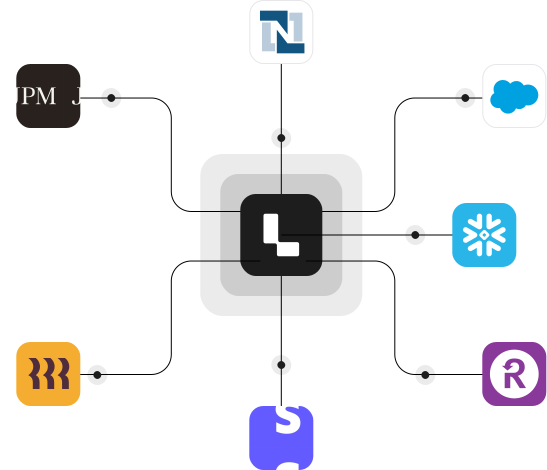
Each close task can have its own agent that pulls data from systems like your ERP, banks, HRIS platforms, AP tools, CRMs, billing systems, and file-based sources like SFTP. Agents prepare reconciliations, schedules, cash application workflows, flux analysis, and draft journal entries before the task is even opened.
Ledge combines close orchestration, execution, and Excel-native outputs in a single platform. Agents prepare the work using your logic; accountants review, adjust, and approve. Nothing posts automatically, and every step is fully auditable.
See the SFTP + Ledge integration in action
Request a demo to see how SFTP fits into an agent-driven close and how file-based workflows are automatically prepared without manual handling.