NetSuite + Ledge Integration
By integrating NetSuite and Ledge, finance teams can automatically pull and prepare ERP data for the close, so reconciliations, schedules, journal entries, flux, and review-ready workpapers start from live NetSuite data instead of manual exports and monthly rebuilds.
Stop rebuilding NetSuite close work every month
Ledge turns NetSuite into an active input to close execution. AI agents—purpose-built and controlled by finance using Ledge Agent Studio—pull the data, prepare the work, and hand back spreadsheet-ready outputs for review. Your team spends less time re-running the same process and more time reviewing exceptions, applying judgment, and signing off.
What makes NetSuite + Ledge different

NetSuite holds balances, transactions, entities, and segments, but close work usually still happens in spreadsheets and across surrounding systems. Ledge connects directly to NetSuite and uses that data to prepare reconciliations, rollforwards, flux analysis, and draft journal entries in the format your team already uses. It is not just checklist visibility layered on top of the ERP.

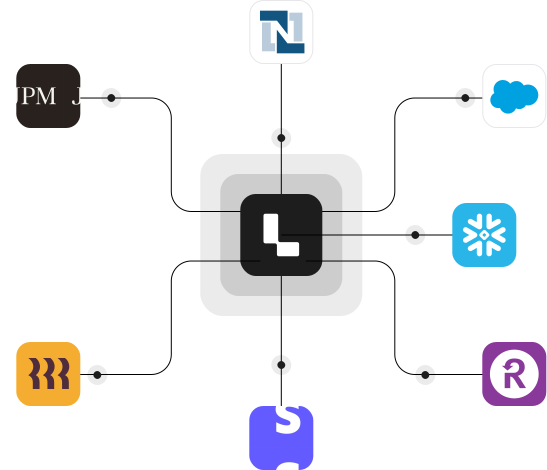
Ledge’s NetSuite integration is its deepest ERP integration. Ledge supports bi-directional sync of entities, accounts, segments, and transactions, respects existing approval workflows, and can also automate repetitive NetSuite UI tasks like running reports, downloading attachments, and handling workflows that are not fully available through APIs. That matters during close because many of the slowest tasks are not just calculations. They are clicks, exports, follow-up checks, and support collection.
How the NetSuite + Ledge integration works
Securely connect NetSuite to Ledge in minutes using Ledge’s native NetSuite integration.
Use Ledge’s Agent Studio to configure a task specific AI agent. Describe the workflow in plain language or upload an existing spreadsheet. Ledge turns that logic into a custom agent that prepares the work the same way every period. You’ll be able to modify this configuration as-needed.
Each period, AI agents pull fresh NetSuite data, rebuild Excel workpapers with live formulas, prepare reconciliations and analysis, draft journal entries, and move tasks forward for review. Teams review and approve instead of rebuilding from scratch.
NetSuite close work, prepared automatically
Close work prepared by AI agents
AI agents use NetSuite data to prepare reconciliations, schedules, flux analysis, and draft journal entries before review begins.
Excel-native outputs
AI agents generate fully editable Excel workpapers with live formulas, source tabs, rollforwards, and tie-outs.
Review instead of rebuild
Finance focuses on review, exceptions, and approvals rather than exporting reports, copy-pasting data, or manually rebuilding schedules.
Built-in visibility and control
NetSuite-driven tasks run inside the close with clear ownership, dependencies, statuses, and audit history in one place.
Audit-ready by default
Source data, logic, approvals, click paths, and supporting evidence are captured as part of the close.
Better coverage for NetSuite workflows
AI agents handle repetitive ERP tasks such as pulling saved reports, downloading PDFs, and collecting supporting documentation that typically slows teams during close.
FAQ


Ledge is a certified NetSuite SuiteApp. AI accountants pull GL balances, subledger detail, and transaction data directly from your instance, then use it to rebuild working papers, draft flux narratives, and prepare journal entries. Approved entries post back to NetSuite through your existing approval workflows. Ledge also auto-detects new GL accounts, segments, and subsidiaries so nothing falls through the cracks.
No. Ledge works alongside NetSuite. NetSuite remains your ERP, while Ledge uses NetSuite data and other source data to prepare close work and route it through review and approval.
Yes. Ledge is spreadsheet-native. AI agents generate Excel workpapers your team can open, review, edit, and approve, with live formulas and source traceability.
Ledge is human-in-the-loop by default. AI agents prepare the work, and accountants review and approve before anything posts. Ledge also respects existing NetSuite approval workflows by default.

What is Ledge?
Ledge is an agent-driven close management platform where AI agents don’t just track progress, they execute close work under your team’s direction.
Each close task can have its own agent that pulls data from systems like your ERP, banks, HRIS platforms, payroll providers like ADP, AP tools, CRMs, and billing systems. Agents prepare reconciliations, schedules, flux analysis, and draft journal entries before the task is even opened.
Ledge combines close orchestration, Excel-native workpapers, and human-in-the-loop approvals in a single platform, so the close runs on prepared work, not manual rebuilds.
See the NetSuite + Ledge integration in action
Request a demo to see how NetSuite fits into an AI-driven close, and how your team can move from manual rebuilds to review-ready close work.