Expensify + Ledge Integration
With the Expensify integration for Ledge, finance teams automatically pull and prepare employee expense data for the month-end close, so expense accruals, reconciliations, and journal entries are ready for review instead of rebuilt manually.
Eliminate manual expense rebuilds during close
For most accounting teams, that work is still rebuilt every close. Expensify reports are exported, cleaned, and reworked in Excel. Accruals are estimated manually. Expense-related reconciliations and journal entries are recreated from scratch.
Ledge removes that manual rebuild. Expensify becomes a direct data source inside the close, with AI agents preparing the work automatically each period.
What makes Expensify + Ledge different

Expensify is designed for expense submission and approval, not month-end accounting. Ledge AI agents pull the approved expense and card data required for the close and prepare accruals, reconciliations, and supporting schedules in the exact Excel formats your team already uses.

Timing differences between spend, approval, reimbursement, and posting often create close risk. Ledge agents rebuild expense accrual schedules every close using fresh Expensify data, ensuring cutoffs, rollforwards, and period-over-period movement are handled consistently and explained clearly.
How the Expensify + Ledge integration works
Securely connect Expensify to Ledge in minutes using a native, lightweight integration. Setup is fast and flexible enough to support multiple policies, cards, and entities.
Use Ledge’s Agent Studio to configure how Expensify data supports your close. Describe your expense accrual and reconciliation workflows in plain language and create custom agents in minutes.
Each period, agents automatically pull fresh Expensify data, rebuild Excel workpapers with live formulas, and prepare accruals, reconciliations, and draft journal entries. Your team reviews and approves instead of rebuilding.
Expense close work, prepared automatically
Prepared expense accruals and reconciliations
Expense accrual schedules, rollforwards, reconciliations, and flux analysis are built before review begins.
Excel-native outputs
Agents generate fully editable Excel workpapers with live formulas, rollforwards, and clear traceability back to Expensify source data.
Review instead of preparation
Accountants focus on judgment, exceptions, and approval rather than exporting reports and fixing spreadsheets.
Visibility and control
Expensify-related tasks are tracked alongside the rest of the close, with clear ownership, status, and dependencies.
Audit-ready by default
Source data, calculations, assumptions, approvals, and changes are captured as part of the close, not reconstructed later.
FAQ


Expensify is treated as an expense management data source that feeds agent-driven close workflows. It is not a standalone reconciliation or accrual tool.
No. Ledge works alongside your ERP and expense systems. Agents use Expensify data to prepare close work, while posting follows your existing ERP approval process.
Yes. Ledge is Excel-native by design. Agents generate Excel workpapers your team can open, review, edit, and approve.
No. Ledge is human-in-the-loop by default. Agents prepare the work; accountants review and approve before anything posts.

What is Ledge?
Ledge is an agent-driven close management platform where AI agents don’t just track progress—they execute close work under your team’s direction.
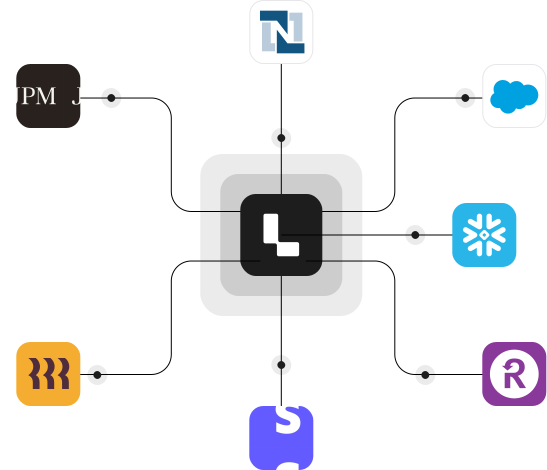
Each close task can have its own agent that pulls data from your ERP, banks, HRIS, AP platforms, CRMs, and expense systems like Expensify. Agents prepare reconciliations, schedules, flux analysis, and draft journal entries before the task is even opened.
Ledge combines close orchestration, Excel-native workpapers, and human-in-the-loop approvals in a single platform—so the close runs on prepared work, not manual rebuilds.
See the Expensify + Ledge integration in action
Request a demo to see how Expensify expense data fits into an agent-driven close and how expense accounting work is prepared automatically every period.