
Your Bank + Ledge Integration
By integrating Ledge with your bank, finance teams can automatically pull and prepare bank balances and transaction data for the month-end close, so cash reconciliations, rollforwards, and bank-driven support are ready for review instead of rebuilt by hand.
Stop rebuilding bank reconciliations every close
That slows down the close for a simple reason: the same bank-related work has to be prepared from scratch every period.
Ledge brings bank data directly into agent-driven close workflows. AI agents, purpose-built by finance, pull the required balances and transactions, prepare the supporting work in Excel-native formats, and move the team into review and approval mode instead of manual data collection.
What makes bank integrations + Ledge different

Bank portals show transactions. There’s still a lot of heavy lift required to get this data ready for the close. Accounting teams still need to tie statements to ERP cash balances, explain unreconciled items, and maintain support for reviewers and auditors.
With banks connected to Ledge, AI agents pull the exact bank data required for each workflow and prepare the reconciliation, cash rollforward, or supporting schedule automatically. Your team starts with prepared work, not raw exports.

Cash close work rarely ends at matching one statement total. Teams need to account for transfers between accounts, bank fees, interest, timing differences, multiple entities, and multiple currencies. They also need support that stays tied to the source activity.
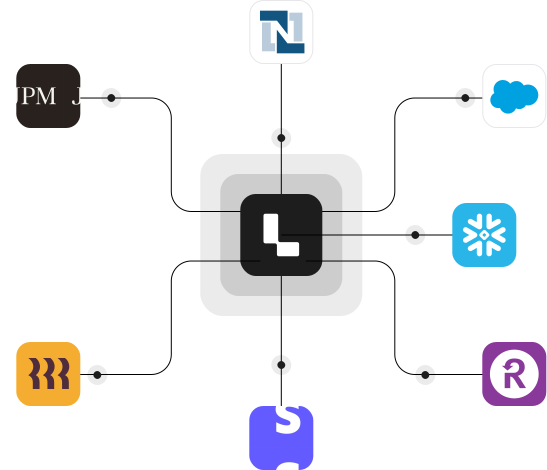
Ledge treats banks as one upstream data source inside the broader close. AI agents use bank balances and transactions alongside ERP data and other operational systems to prepare reconciliations, explain breaks, and keep cash-related tasks moving inside the close checklist.
How the banks + Ledge integration works
Securely connect your banks to Ledge using the bank-specific setup supported for each institution, including API credentials, tokens, or file-based connection flows where needed. Setup is lightweight and flexible enough to support multiple accounts, entities, and banking relationships.
Use Ledge’s Agent Studio to configure AI agents that get your bank data close-ready. Describe the workflow in plain language, such as cash reconciliation logic, bank fee treatment, transfer matching, or cash rollforward structure, and create a custom agent in minutes.
Each period, AI agents pull fresh bank data automatically, rebuild workpapers with live formulas, prepare reconciliations and supporting schedules, and route the work for review. Your finance team reviews and approves instead of downloading, cleaning, and rebuilding.
Cash and bank-driven close work, prepared automatically
Reconciliations, prepared by AI agents
Bank balances and transactions are used to prepare cash reconciliations, rollforwards, and supporting schedules before review begins.
Spreadsheet-native outputs
AI agents generate fully editable Excel workpapers with live formulas, traceability, and clear tie-outs to source data.
Review instead of rebuild
With the help of AI agents, finance can focus on investigating exceptions and approving results, not exporting statements and stitching files together.
Built-in visibility and control
Bank-related tasks live inside the close with clear ownership, status, dependencies, and review history.
Audit-ready by default
Source data, logic, calculations, and approvals are captured as part of the close instead of reconstructed after the fact.
FAQ


Banks are treated as source systems that feed AI agents that are assisting with close workflows. Bank data becomes one input into cash, reconciliation, and broader close execution.
No. Ledge works alongside your ERP and your banks. AI agents use bank data and ERP data to prepare the close, while your ERP remains the system of record.
Yes. Ledge is Excel-native by design. AI agents generate spreadsheet workpapers that your team can open, review, edit, and approve.
No. Ledge is human-in-the-loop by default. AI agents, purpose-built and governed by finance, prepare the work. Accountants review and approve before anything moves forward.
Common workflows include cash reconciliations, bank rollforwards, fee tracking, transfer support, cash activity tie-outs, and other spreadsheet-based close tasks that rely on bank balances or transactions.

What is Ledge?
Ledge is a close management platform where AI agents execute close work under your finance team’s direction.
Each close task can have its own agent that pulls data from your ERP and operational systems such as banks, HRIS platforms, payroll providers, AP systems, CRM tools, and billing systems, then prepares reconciliations, schedules, flux analysis, and draft journal entries before the task is even opened.
Ledge combines close orchestration, agent-driven execution, Excel-native outputs, and human-in-the-loop approvals in one platform. Banks are one upstream data source feeding the broader close, not a standalone workflow.
See the banks + Ledge integration in action
Request a demo to see how bank data fits into an agent-driven close, and how cash-related work gets prepared without added manual rebuilds.